Order online through Connect, or become a customer to set up an account with payment terms.
Jump to the section that answers your question.
Everything you need to create your account, verify your business, and start ordering online.
Scan the QR code on your invoice or click here (external link), then enter your email, first name, and last name.
Check your inbox and click the verification link.
Log in with that email, then choose all account roles that match your business.
Enter your account number, invoice number, and invoice date from a recent invoice.
You'll see a 'request pending' status, then get an access email once approved.
A quick tour of your Connect home screen — where you'll land right after signing in.
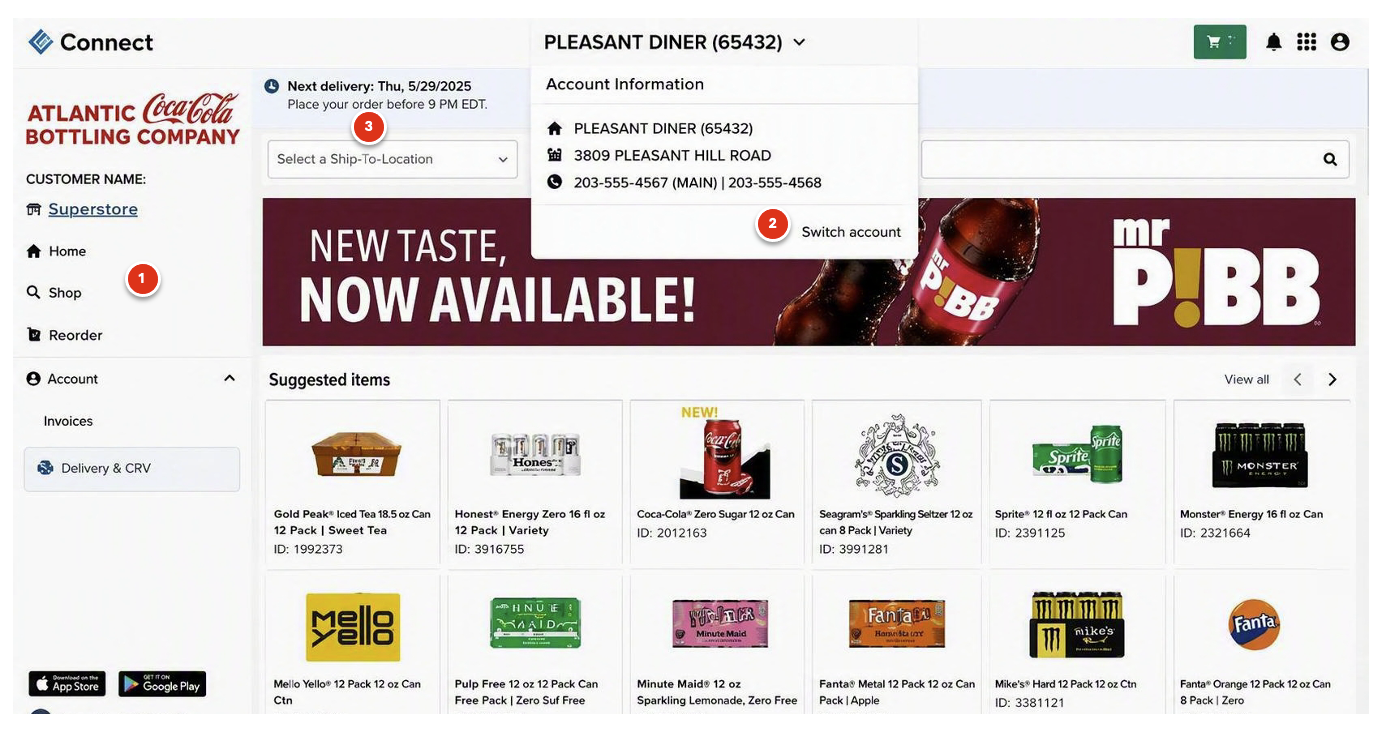
Jump between Shop (browse categories), Reorder (your favorites), and Account (invoices & payment) using the menu on the left.
Managing more than one location? Switch profiles from the account selector at the top — each shows its own orders and pricing.
The top bar always shows your next delivery date and order-by cutoff, so you never miss your ordering window.
Everything you need to create your account, verify your business, and start ordering online.
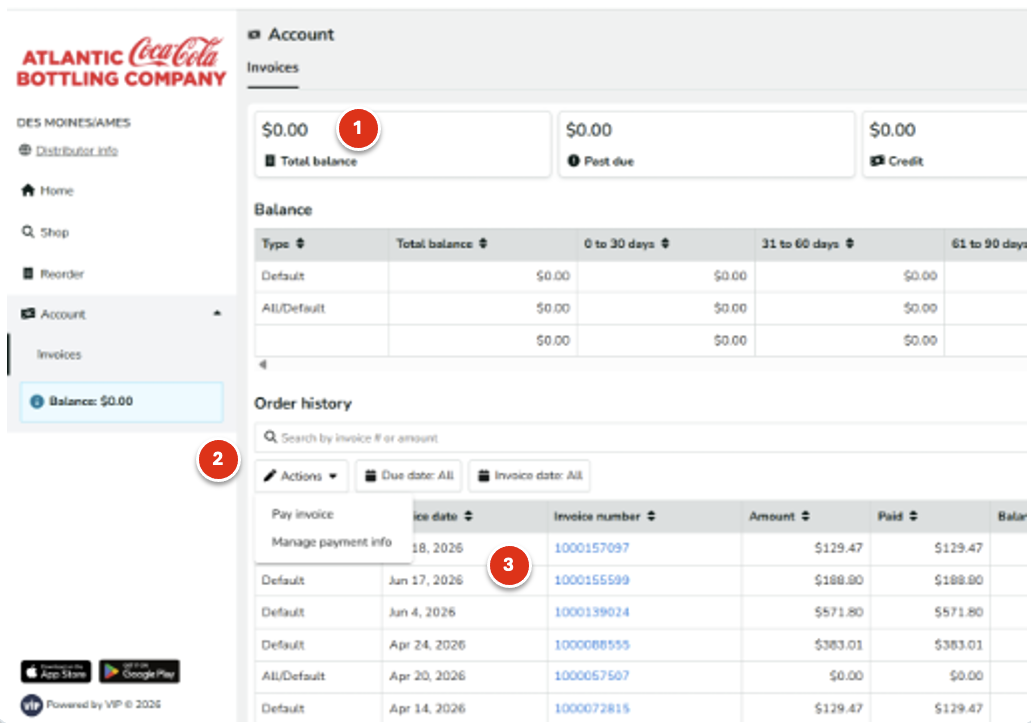
Total balance, past due, and available credit are summarized in the cards across the top of the screen.
Open Manage Payment Info to add a bank account and set up AutoPay for automatic payments.
Every invoice is listed with its due date, amount, and paid status — searchable by invoice number or amount.
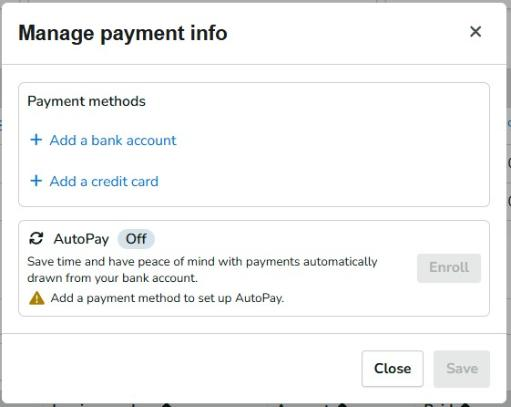
Manage payment info — add a bank account or set up AutoPay.
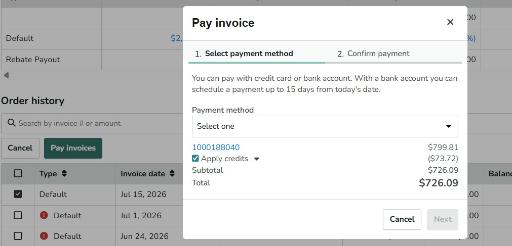
The Pay Invoice window — pay by card or bank account.
Running into an issue? Start here, or reach our team directly.
The site isn't responding — what do I do?
1. Log out of Connect — open the account menu in the top-right corner and sign out.
2. Clear your browsing history — open your browser menu, go to History → Clear browsing data, check 'Browsing history' and 'Cached images and files,' set the range to 'All time,' then click Clear data.
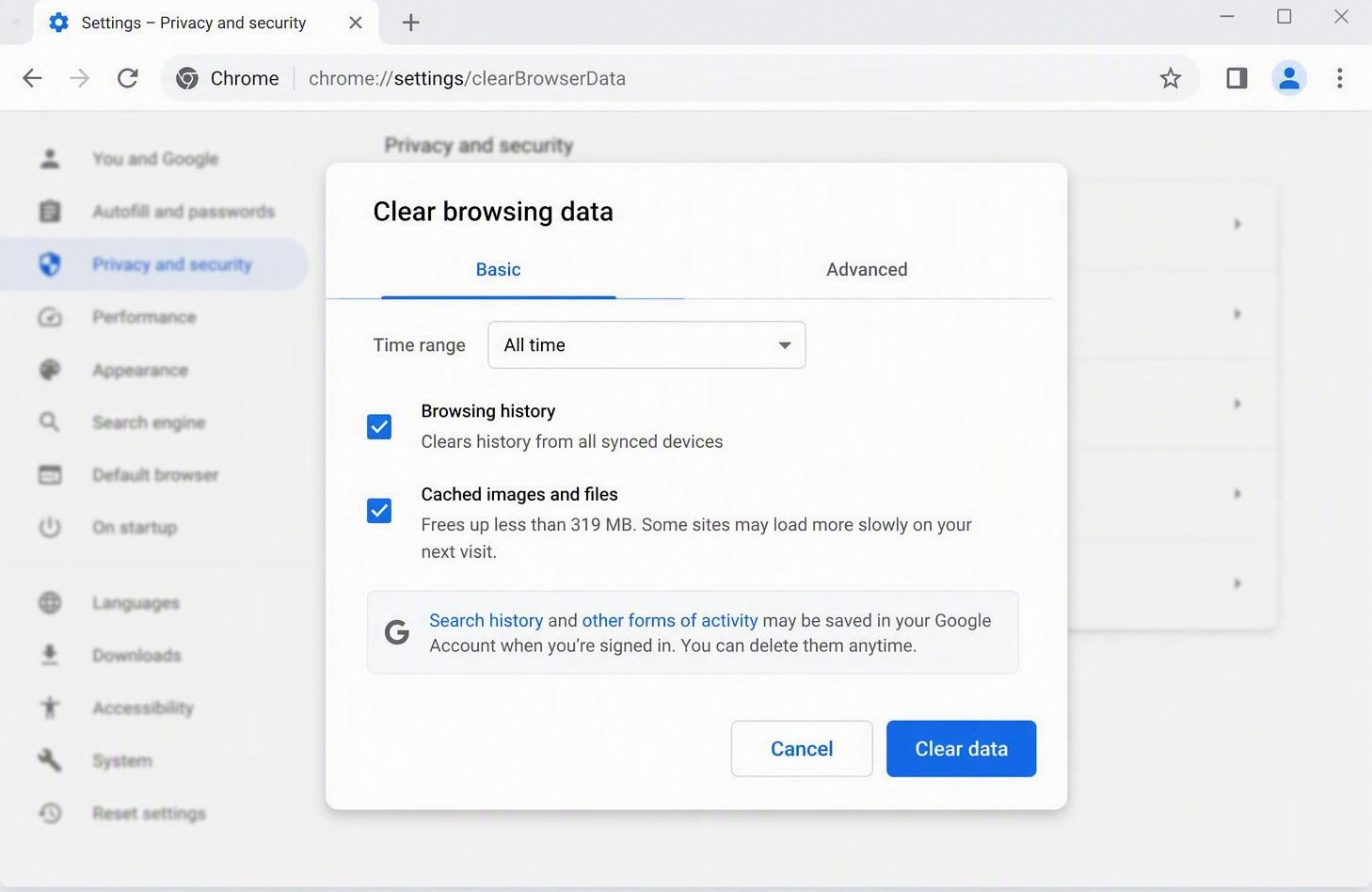
3. Close all open tabs — close every open browser tab and window so no old session stays active in the background.
4. Log back into Connect — reopen your browser, go back to Connect, and log in. The site should load normally."
I'm stuck during sign-up — what should I check?
Confirm you're using the same email you signed up with, that you have a recent, valid invoice on hand for business verification, and that you're using Chrome, Firefox, or Safari.
If you've tried the steps above and you're still stuck, please contact our Customer Care Team below.
Who do I contact for setup, login, or ordering issues?
For set-up, log-in, or ordering issues:
Call 844-294-1871
Text 800-242-6531
Email screenshots to onlinesetup@atlanticbottling.com
For general order questions: orders@atlanticbottling.com